This website is your activity space. The BoodleBox guide is your conversation partner. Explore here, then bring your answers to the guide when you want to talk them through.
Explore on this page.
Follow the five stops below. Look at the images, try the choices, and write short answers in the boxes. Use the hints whenever you need them, then choose Continue at the bottom of each stop.
Prepare your answers to share.
At Harbor Point, choose Prepare note for BoodleBox whenever you want to discuss your current assumptions—even before you have an explanation. Review the note, then put it in a paired Chrome chat or copy and paste it. You can also share a checkpoint at stop 3 or your explanation at stop 5.
Discuss, then come back.
Review the note in your BoodleBox message box and press Send. Without the extension, paste it there first. The guide can explain a confusing idea or ask about your reasoning. Follow its next activity link when you are ready to continue here. Keep the same chat open for your next note.
You approve what the guide receives. The extension can place your chosen note in the chat draft; you review it and press Send. Copy and paste works too. Later clicks and answers stay on this website until you share another note. Your written answers are saved in this browser.
For your first chat, open the guide above, sign in if needed, and choose Start New Chat. Keep that chat and this page open in separate tabs. If a long pasted note becomes attached text, type Discuss this checkpoint and send.
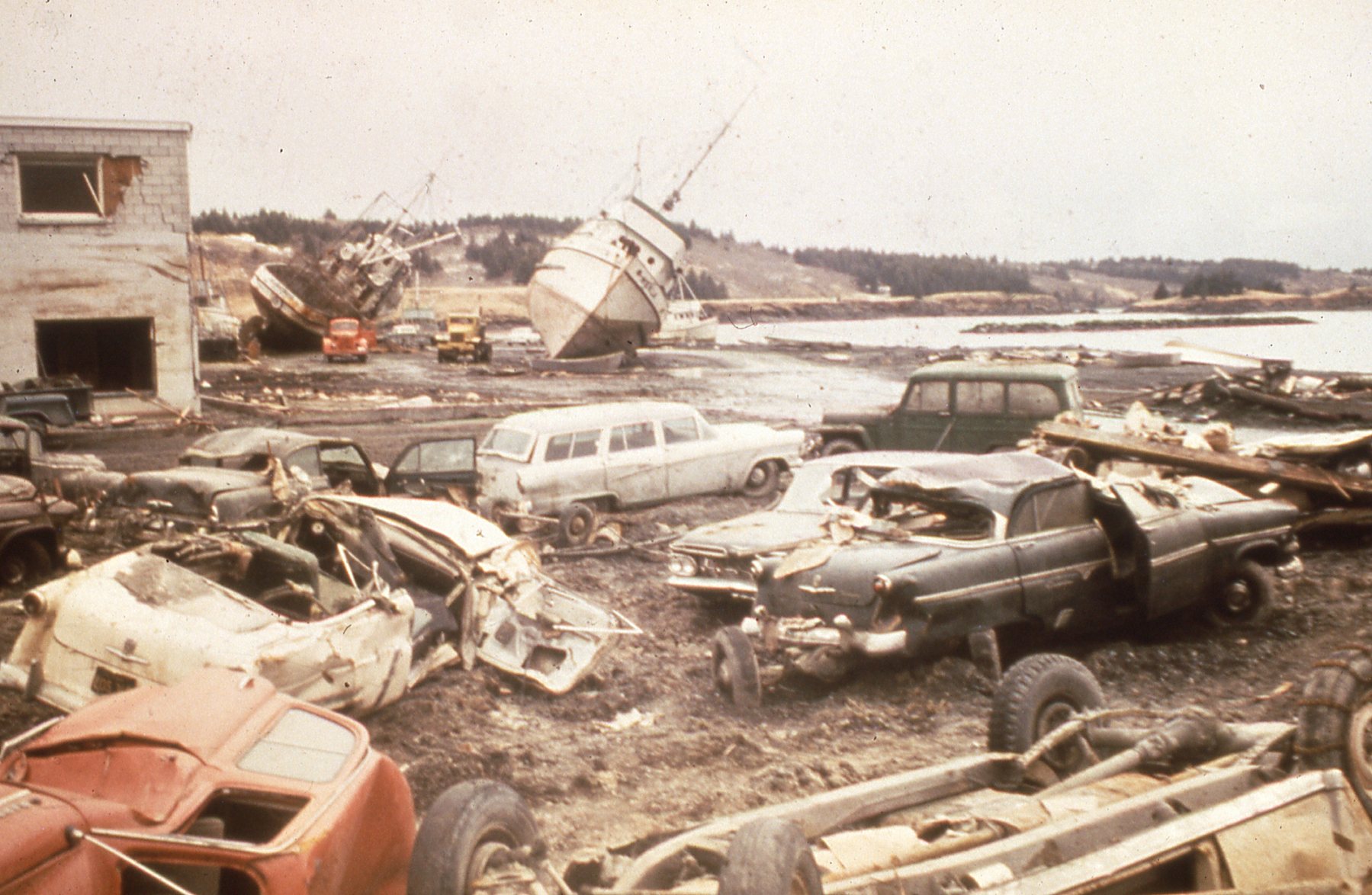
You can also finish the whole lesson here without BoodleBox. The stop 3 conversation, extra source material, and live earthquake feed are optional. For a first try, keep Alaska · 1964 selected and begin with A distant coast.
 Learn the side-by-side loop.
 Pueblo History Detective
 Before the wave arrives
 Community Budget Challenge
 Public Hearing Detective